onelight knows what light you had.
Your camera's white balance hides the colour of the light. onelight puts it back, so the stock reacts to your scene as it would have on set.
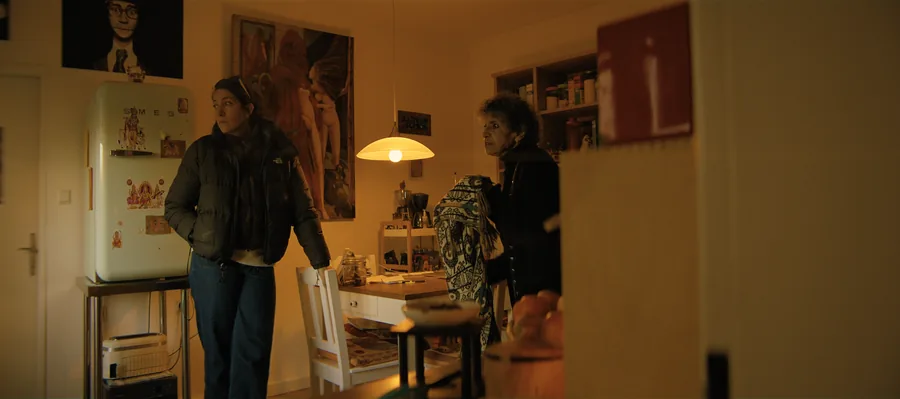
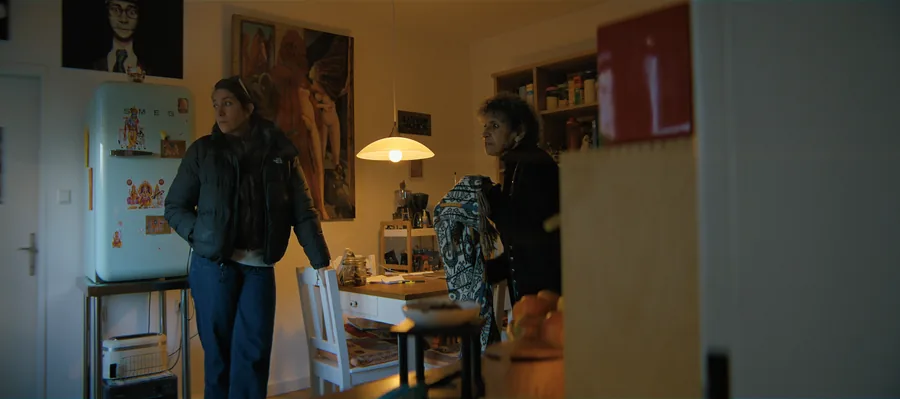
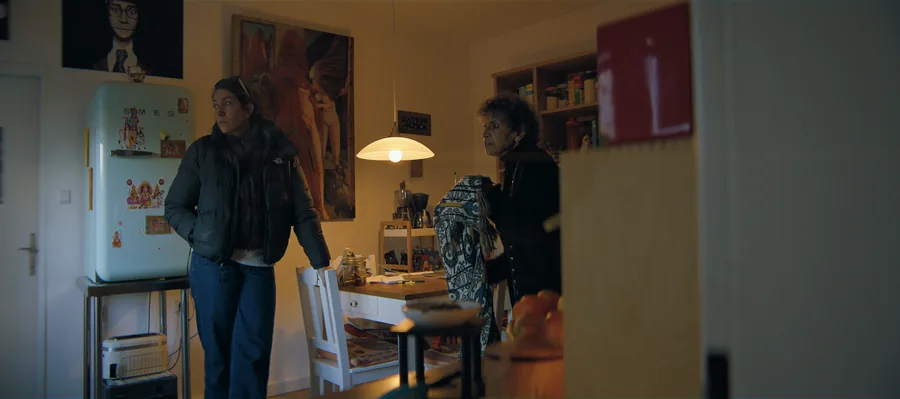
A tungsten-lit shot on daylight 250D. The camera was white balanced; onelight puts the real colour of the light back before the negative sees it.
The stock has a colour balance.
On film you choose a daylight or tungsten stock for your main light. When they don't match, you filter the camera or let the lab correct the cast, and the stock's colour character changes either way.
That signature is part of why mixed light looks the way it does on film: a window in a tungsten room goes blue, a practical in daylight goes amber, and the lab only corrects the average.
Your white balance, undone.
You enter the white balance you shot at, and any green or magenta tint the camera removed. onelight compares that light with the stock's balance, adds the 85 or 80A filter if you'd have used one, and lets the lab time it.
A lab report in the plugin shows what the lab did, in printer points, so you can see and override every decision.
How to use it
Shoot it straight
Set the camera's white balance to match your light, as usual, and enter the same value in onelight.
Try the wrong stock
500T in daylight, timed by the lab, gives a different and often more interesting colour than a digital white balance ever will.
Read the lab report
If a shot looks off, the lab report tells you which printer lights the lab chose for it.
The controls
| Control | Range | Default |
|---|---|---|
| Camera White Balance KThe Kelvin your camera was set to (in the clip's metadata). It tells onelight what light the scene had, so the stock sees it like on set: a tungsten stock in daylight gets blue, a daylight stock under tungsten gets orange. | 2 000 to 10 000 | 5 600 |
| Light Green / MagentaGreen or magenta in the light that your camera's tint setting removed (fluorescent, some LEDs): in Plus Green gels, 1 = full Plus Green, -1 = full Minus Green. The film has no tint setting, so it sees the colour; the lab corrects grey, the rest stays. The size of one gel is an estimate. | −1 to 1 | 0 |
| Camera FilterConversion filter on the camera. Auto uses an 85 on a tungsten stock above 4300 K and an 80A on a daylight stock below 4300 K, as Kodak recommends. None shows the stock unfiltered in that light (the lab corrects the cast; a different colour character stays). | Auto (Kodak recommendation) · None · 85 (daylight on tungsten stock) · 80A (tungsten on daylight stock) | Auto (Kodak recommendation) |
| Lab TimingOn: the lab corrects grey back to neutral with printer lights, like on a real job. Off: the colour cast prints as it is (standard printer lights). | on / off | on |
Shot digital. Printed on film.
Try every feature free for 14 days. No card needed.