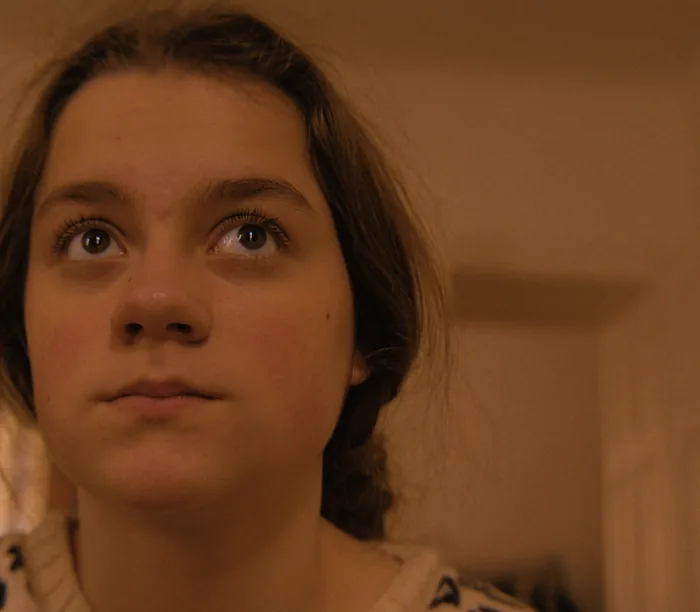
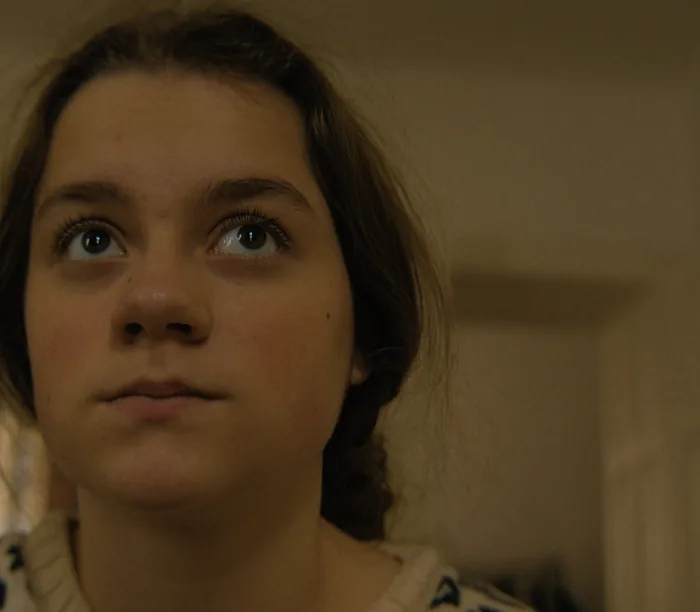
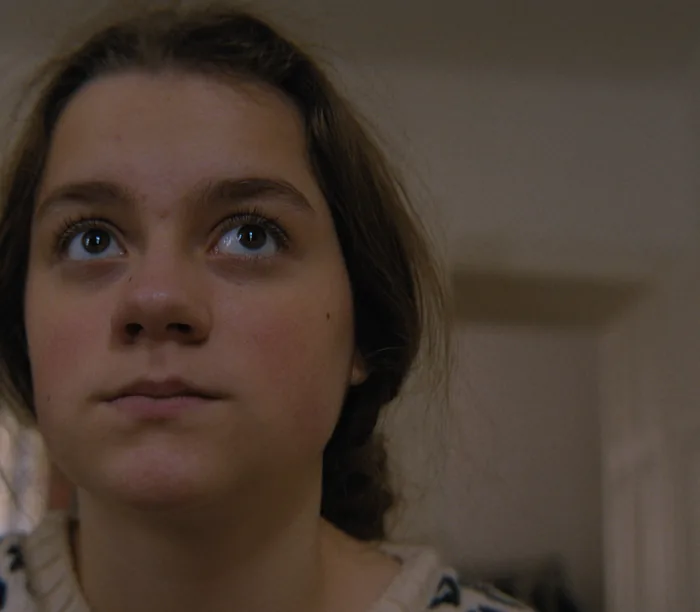
A skin close-up on 500T, printed at the lab standard and with six points of red and of blue.
A point is a step of light.
A lab grades by changing the light that exposes the print, in printer points. A point is a small, fixed step of density, and about five to six points make one stop.
Because it happens before the print, the print's own curve shapes the result: highlights and shadows respond the way they do on film, not like a digital lift.
Before the print, like a printer.
Print Brightness and Red, Green and Blue points act on the negative's density before the print, exactly like a printer.
With Light on Set, the lab's own timing is added automatically, and you correct from there. At 0, a grey card prints at the lab standard: about 10 percent of white.
How to use it
Per shot, not per film
This is where most of the per-shot work happens. Balance each shot with exposure and printer lights.
Think in stops
Six points brighter is about one stop. Small numbers go a long way.
Keep one print
If you only touch exposure and points, the whole film keeps one consistent print look.
The controls
| Control | Range | Default |
|---|---|---|
| Print Brightness PointsPrinter lights, all colours. About 5 to 6 points = 1 stop of negative exposure. + = brighter. 0 = lab standard: a grey card prints at about 10 percent of white. | −24 to 24 | 0 |
| Printer Light Red+ = more red. | −12 to 12 | 0 |
| Printer Light Green+ = more green. | −12 to 12 | 0 |
| Printer Light Blue+ = more blue. | −12 to 12 | 0 |
Shot digital. Printed on film.
Try every feature free for 14 days. No card needed.